
Features · Create
Video Studio
Videos from a brief, made by your Video agent.
Available on
- Mac
- Cloud
How it works
Three steps
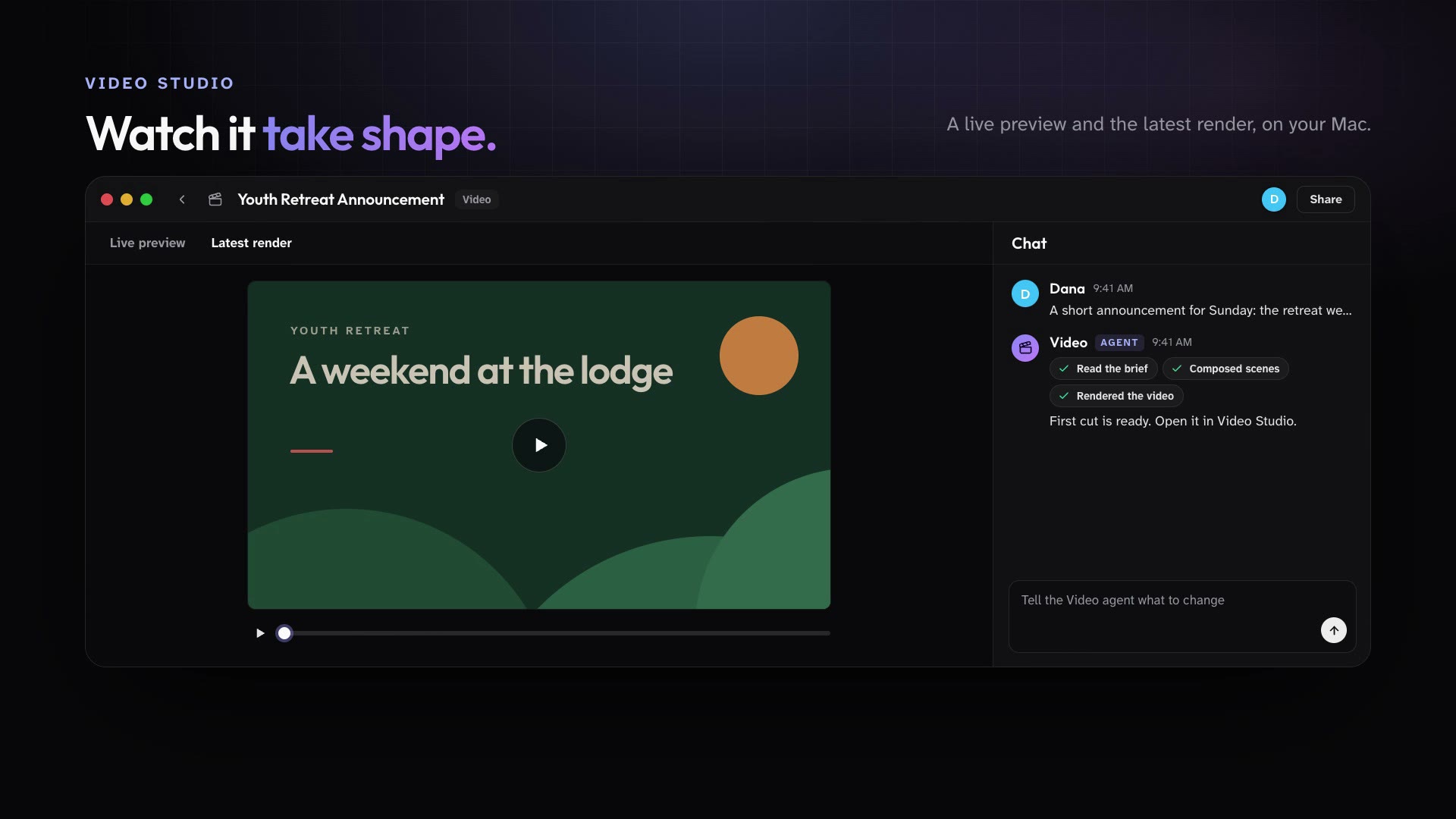
Every workspace has a Video agent. Give it a brief and it builds the video, with a live preview and the latest render in Video Studio on your Mac.
Message the Video agent with a brief and any assets from your Library.
Watch the live preview in Video Studio while it works.
Ask for changes in the same conversation, then share the latest render.
In practice
One feature, two kinds of week
For churches
The Video agent turns the youth retreat details into a short announcement video for Sunday.
Mission Control for churchesFor organizations
Marketing gets a 30-second launch teaser drafted from the campaign brief.
Mission Control for organizations
What ships today
The details
- Every workspace has a Video agent that builds videos from a brief, with a live preview and the latest render in the desktop Video Studio.
- The Video agent composes its videos with HyperFrames.
See it in your own workspace.
Download Mission Control for your Mac and invite the people you work with.
For Macs with Apple Silicon.