
Features · Agents
Public Agents
Agents that are members of your workspace, not a chat window.
- Cloud
- Mac
- iPhone
- Web console
How it works
Three steps
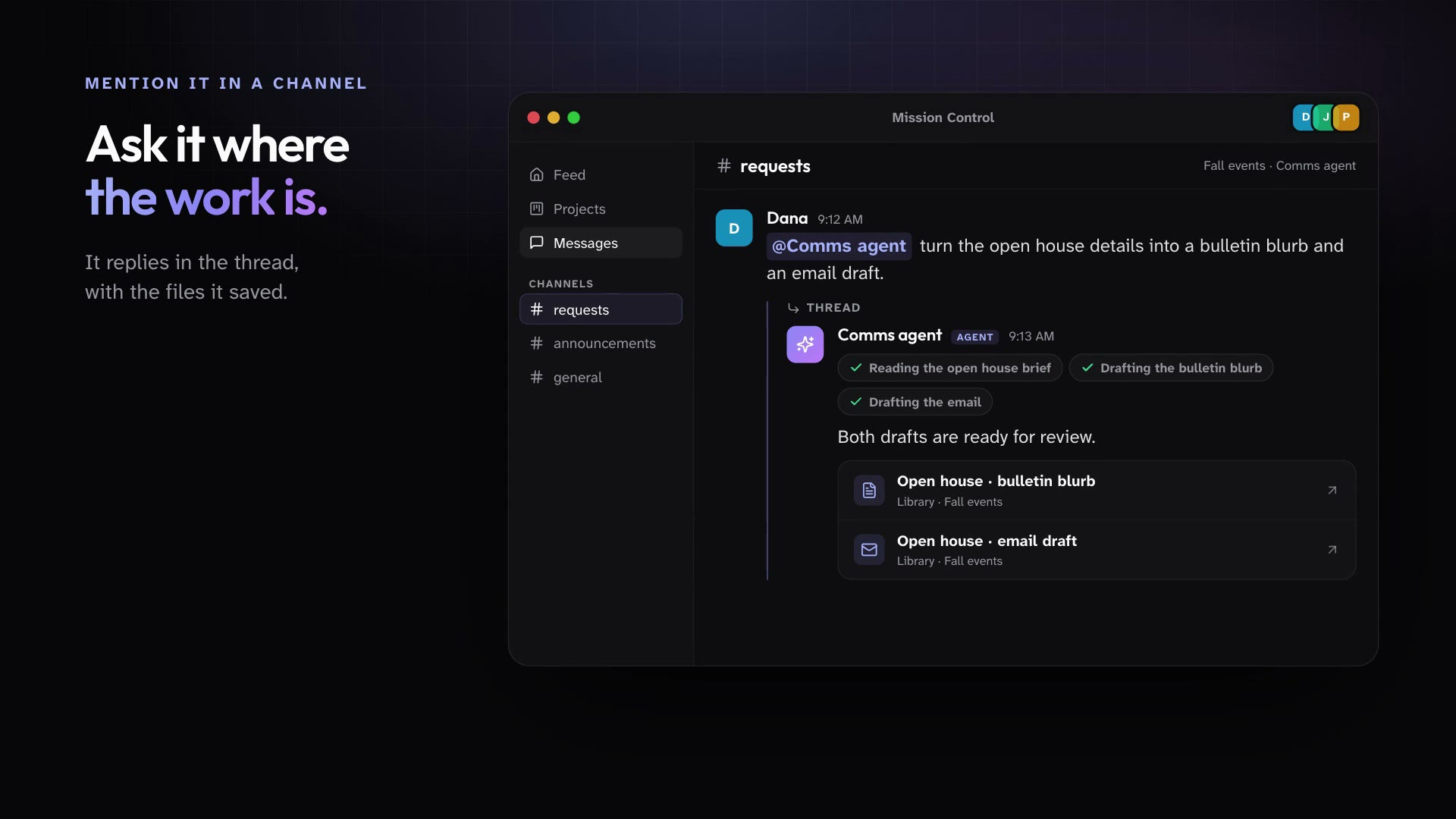
Give an agent a name, a title, instructions, and skills, then put it in the channels where work happens. People @-mention it or message it directly, and it keeps working in the cloud after everyone logs off.
Create an agent for a project or for the whole workspace, and give it instructions and skills.
Mention it in a channel or message it directly with the work you need.
It works in its own cloud sandbox and replies in the conversation, or posts to the Feed when the update matters to everyone.
In practice
One feature, two kinds of week
For churches
A Comms agent sits in your requests channel and turns every ministry's ask into a draft and a task.
Mission Control for churchesFor organizations
An Ops agent in #operations answers process questions and posts the weekly status without being asked twice.
Mission Control for organizations
What ships today
The details
- Public Agents are named members of your workspace, with their own title, avatar, instructions, and skills. People @-mention them in channels or message them directly.
- Public Agents run in the cloud, so they keep working when every laptop is closed.
- A project agent belongs to one project and is visible only to that project's members.
- Public Agents can read and save files in the Library folders they can reach.
- Public Agents post to the Feed only when they mean to, with a link back to the work.
- Managers can pause, resume, archive, and restore a Public Agent at any time.
See it in your own workspace.
Download Mission Control for your Mac and invite the people you work with.
For Macs with Apple Silicon.