
Features · Agents
SuperGloo
A personal assistant for every member, on Mac, iPhone, and iMessage.
- Cloud
- Mac
- iPhone
How it works
Three steps
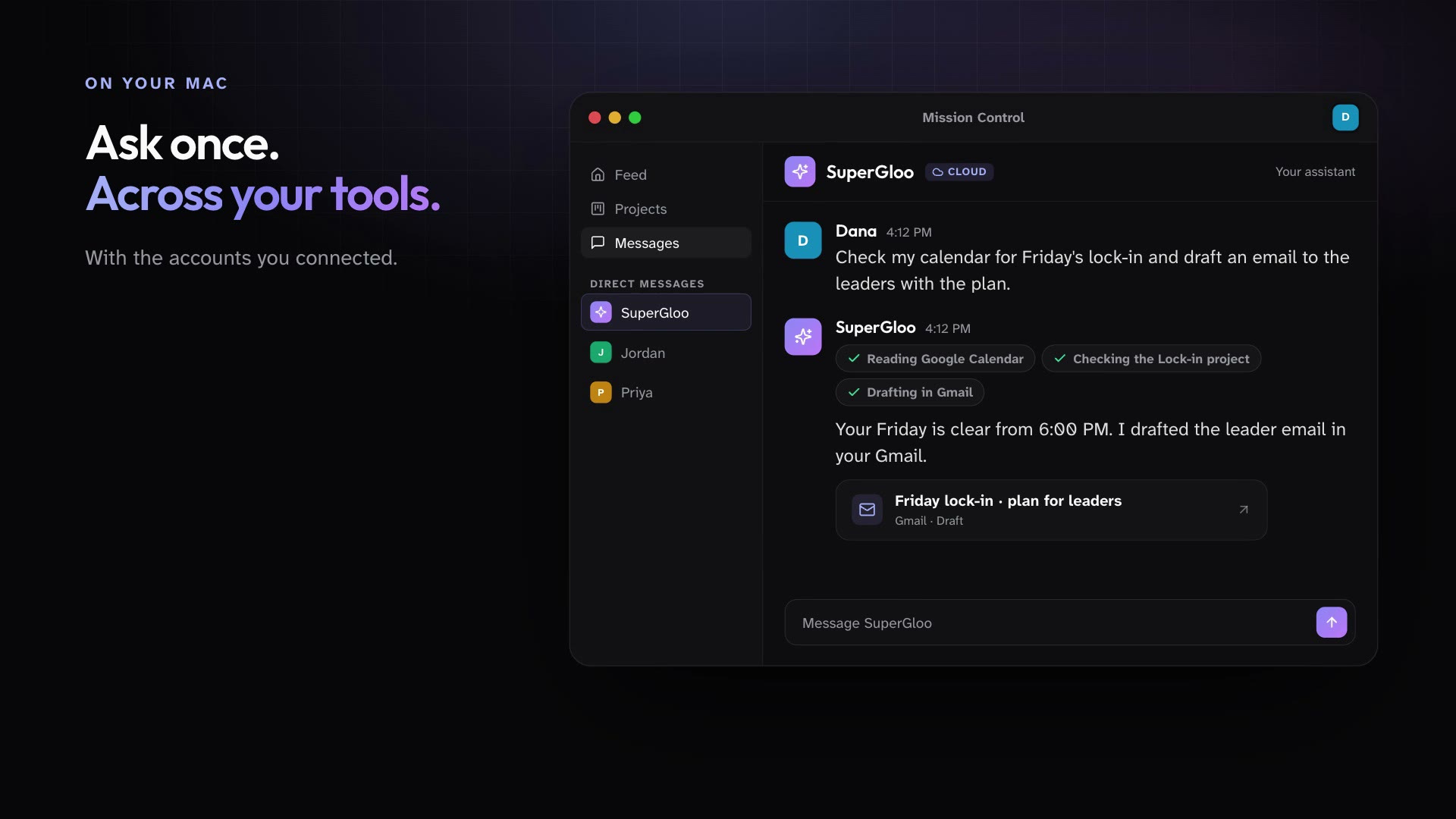
SuperGloo works as you across messages, calendars, tasks, projects, the Library, and the tools you connect. Talk to it on your Mac, in the iPhone app, or over iMessage. It is one conversation everywhere, and it asks before it sends anything to other people.
Open SuperGloo from Messages on your Mac or iPhone, or text it over iMessage.
Ask for what you need in plain words, from a quick lookup to a multi-step errand across your tools.
It does the work in the cloud and checks with you before it deletes anything or sends to other people.
In practice
One feature, two kinds of week
For churches
Between youth group and a parent meeting, text SuperGloo to remind your leaders about Friday and draft the parent email.
Mission Control for churchesFor organizations
Ask SuperGloo what changed across your projects this week and get a summary before your next meeting.
Mission Control for organizations
What ships today
The details
- SuperGloo is a personal assistant for every member, on the Mac, on iPhone, and over iMessage, all in one conversation.
- SuperGloo runs in the cloud, so it works from your phone whether or not your Mac is online.
- SuperGloo works as you across messages, calendars, tasks, projects, the Library, and the tools you connect.
- SuperGloo asks first before it deletes something, sends or posts to other people, or does more than you asked.
- SuperGloo reaches only the folders on your Mac that you grant, and confirms before it writes, moves, or deletes anything in them.
See it in your own workspace.
Download Mission Control for your Mac and invite the people you work with.
For Macs with Apple Silicon.