
Features · Connect and govern
iPhone app
The Feed, Messages, and your assistant in your pocket.
Available on
- iPhone
How it works
Three steps
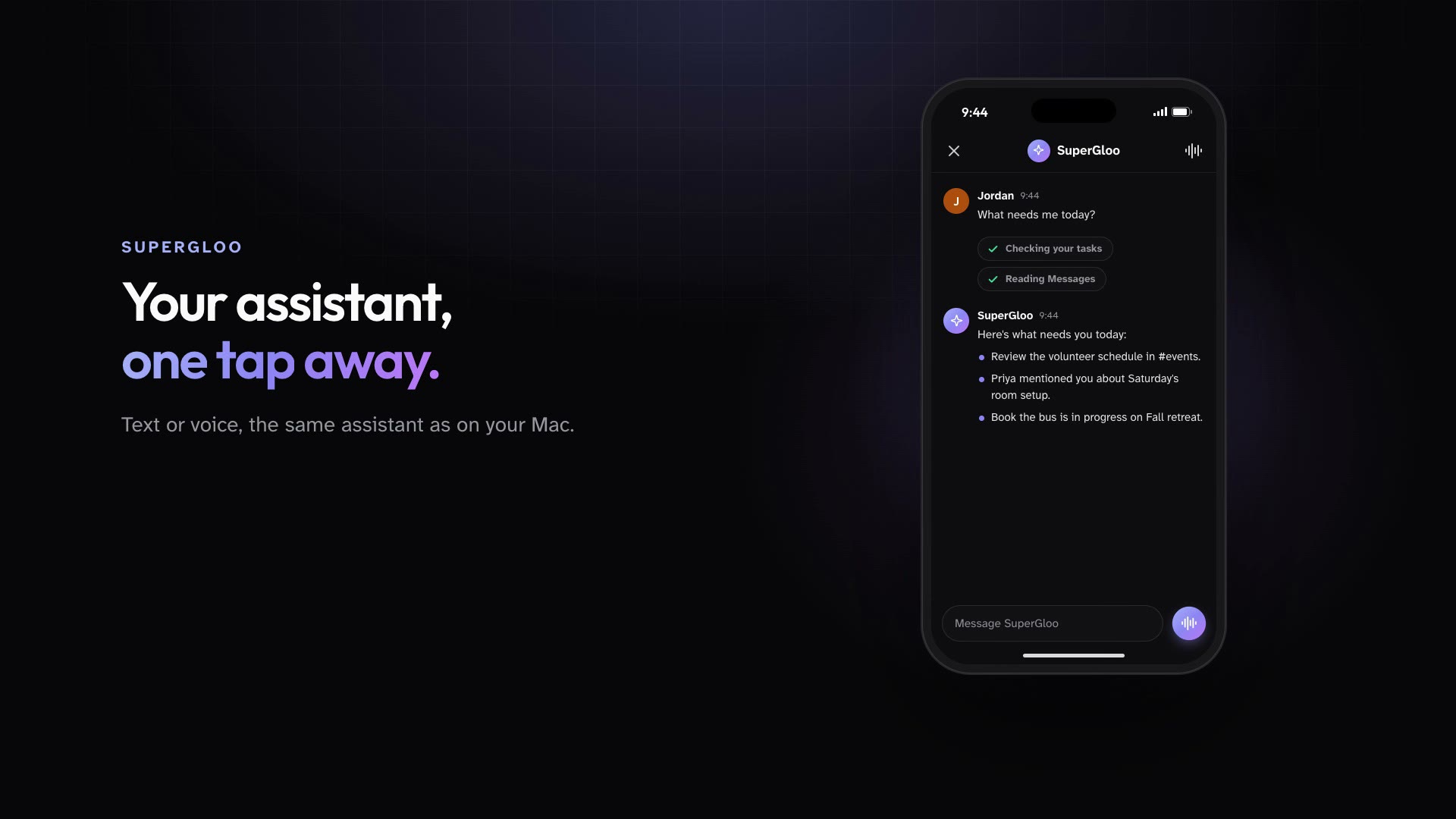
The iPhone app brings the Feed, Messages, SuperGloo, Projects, boards, and calendars with you, with push notifications when someone needs you.
Install the iPhone app and sign in to your workspace.
Read the Feed, reply in Messages, and check your tasks.
Talk to SuperGloo by text or voice wherever you are.
In practice
One feature, two kinds of week
For churches
A youth pastor answers a leader's question from the parking lot before the lock-in.
Mission Control for churchesFor organizations
An account manager approves an agent's question card from the airport.
Mission Control for organizations
What ships today
The details
- The iPhone app brings the Feed, Messages, SuperGloo, Projects, boards, and calendars with you, with push notifications.
- SuperGloo is a personal assistant for every member, on the Mac, on iPhone, and over iMessage, all in one conversation.
- Public Agents stop and ask with a card before they create or change an automation, or when they need access to a project. Members can answer from desktop or phone.
See it in your own workspace.
Download Mission Control for your Mac and invite the people you work with.
For Macs with Apple Silicon.