
Features · Work together
Huddles and voice agents
Jump on a call, and bring an agent.
- Mac
- iPhone
How it works
Three steps
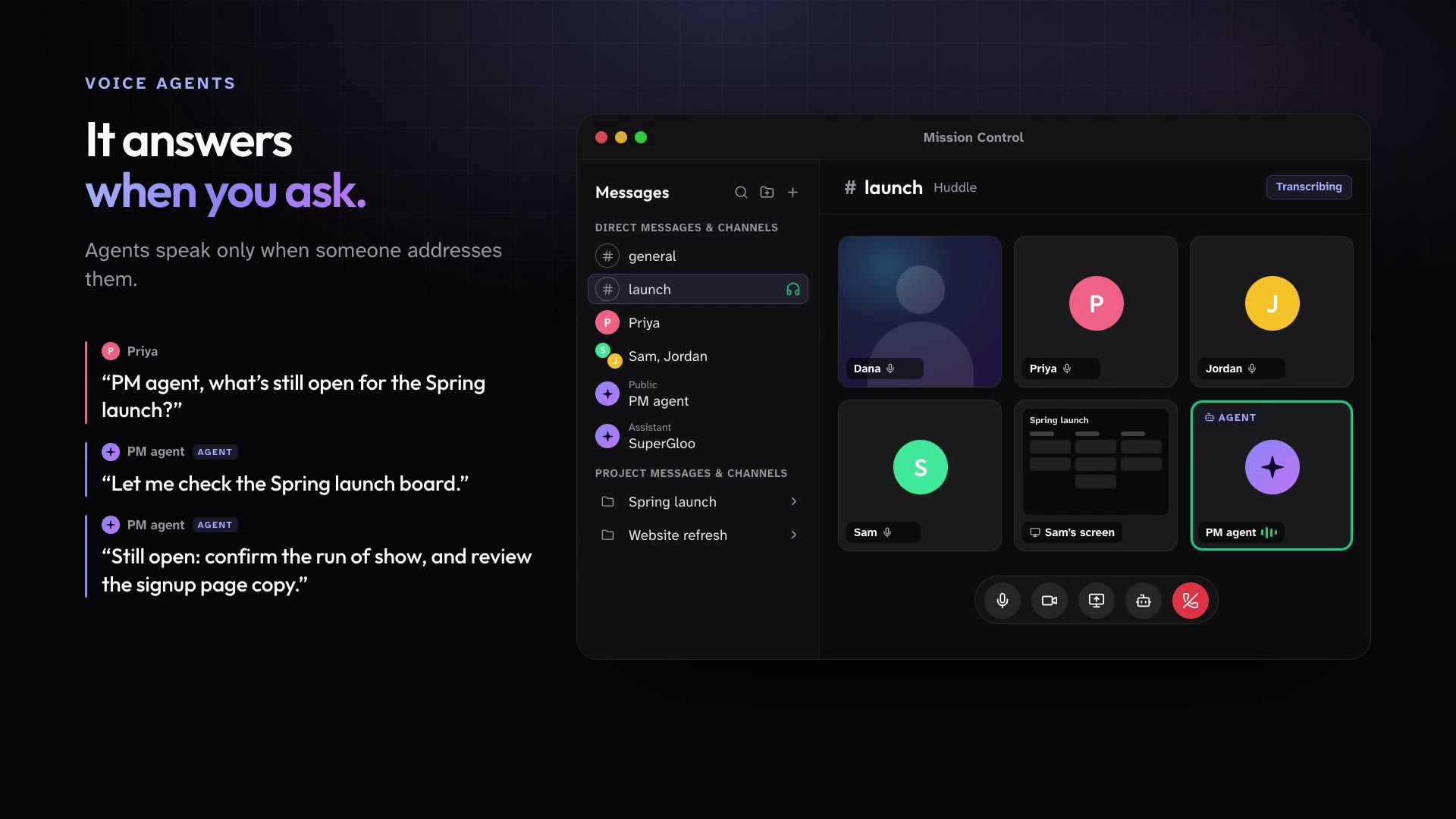
Start a huddle in any conversation for audio, video, and screen sharing. Invite up to two Public Agents to listen and speak when someone addresses them, and get the transcript in the thread afterward.
Start a huddle from any conversation.
Invite up to two Public Agents to join as voice participants.
When the call ends, the transcript is posted to the thread.
In practice
One feature, two kinds of week
For churches
Planning the Easter service, staff asks the Ops agent on the call what is still open on the board.
Mission Control for churchesFor organizations
In a launch review, the PM agent answers questions about the plan out loud.
Mission Control for organizations
What ships today
The details
- Huddles add audio, video, and screen sharing to any conversation, and the transcript is posted to the thread when the call ends.
- Invite up to two Public Agents into a huddle or meeting. They listen and speak when someone addresses them.
See it in your own workspace.
Download Mission Control for your Mac and invite the people you work with.
For Macs with Apple Silicon.