
Features · Connect and govern
Governance
Roles, approvals, an audit log, and usage you can see.
- Mac
How it works
Three steps
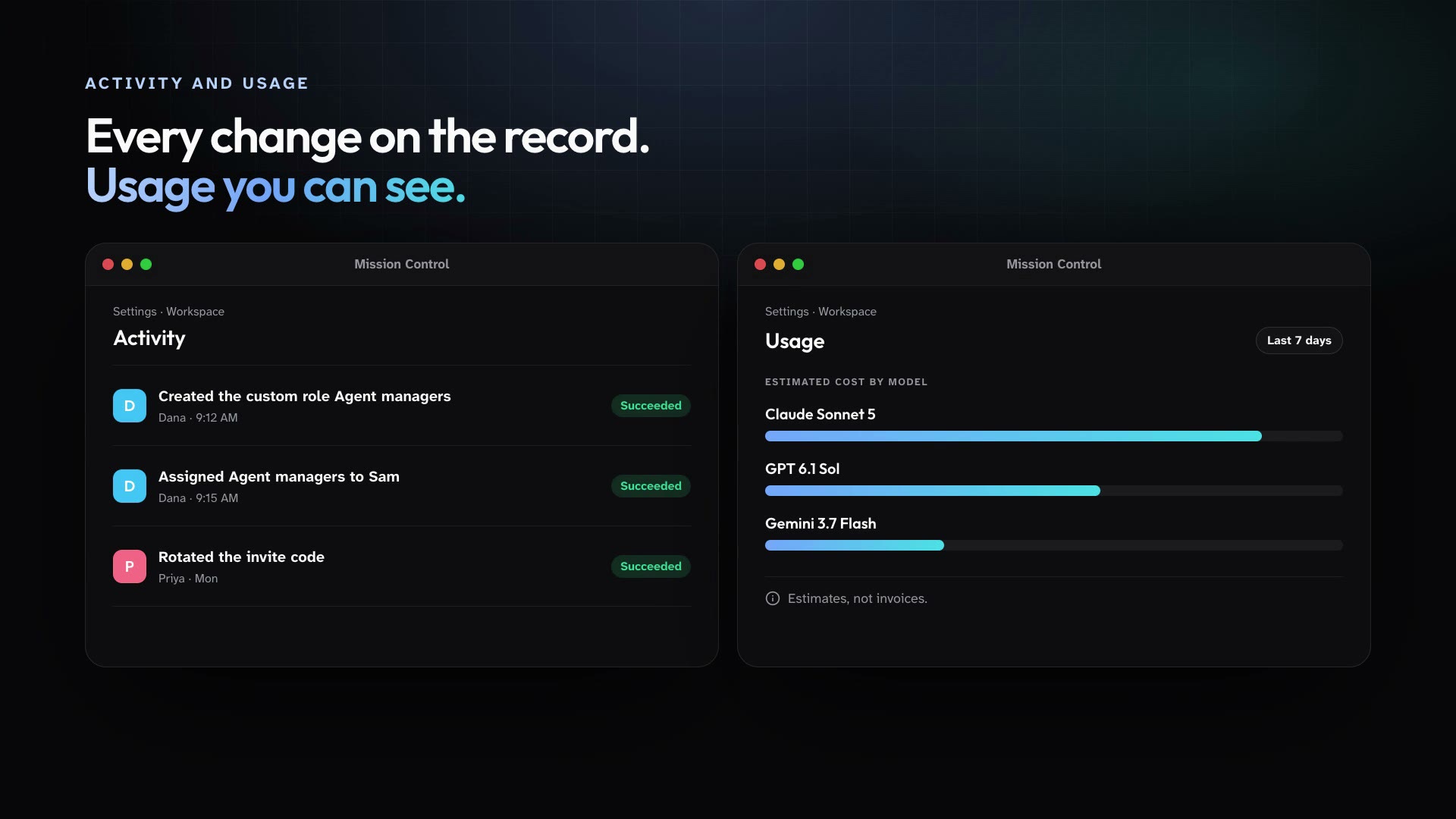
Every member has a role, and custom roles let you grant exactly the workspace permissions people need. Governance changes are recorded in an append-only audit log, restricted agents are visible only to their allowlist, and usage shows estimated cost by member, model, and agent.
Assign roles, or create custom roles from the workspace permission catalog.
Decide which agents each person can see, and pause or archive an agent at any time.
Review the audit log and the usage estimates from Settings.
In practice
One feature, two kinds of week
For churches
Your administrator holds the keys to settings, and each ministry leader manages only their own project's agents.
Mission Control for churchesFor organizations
Security reviews the audit log, finance reviews usage estimates, and each department runs its own agents.
Mission Control for organizations
What ships today
The details
- Every member has a role. Owner, Admin, and Member are built in, and you can create custom roles from a catalog of workspace permissions.
- Governance changes are recorded in an append-only audit log that admins can review.
- A workspace-wide agent can be restricted to an allowlist of members and roles. Nobody else can see or message it.
- Managers can pause, resume, archive, and restore a Public Agent at any time.
- Usage shows tokens and estimated cost by member, model, and agent. They are estimates, not invoices.
- Models come from a curated catalog. Nobody pastes provider API keys into the app.
See it in your own workspace.
Download Mission Control for your Mac and invite the people you work with.
For Macs with Apple Silicon.