
Features · Create
Apps
Describe the tool you need, then publish it to your workspace.
Available on
- Mac
- Cloud
How it works
Three steps
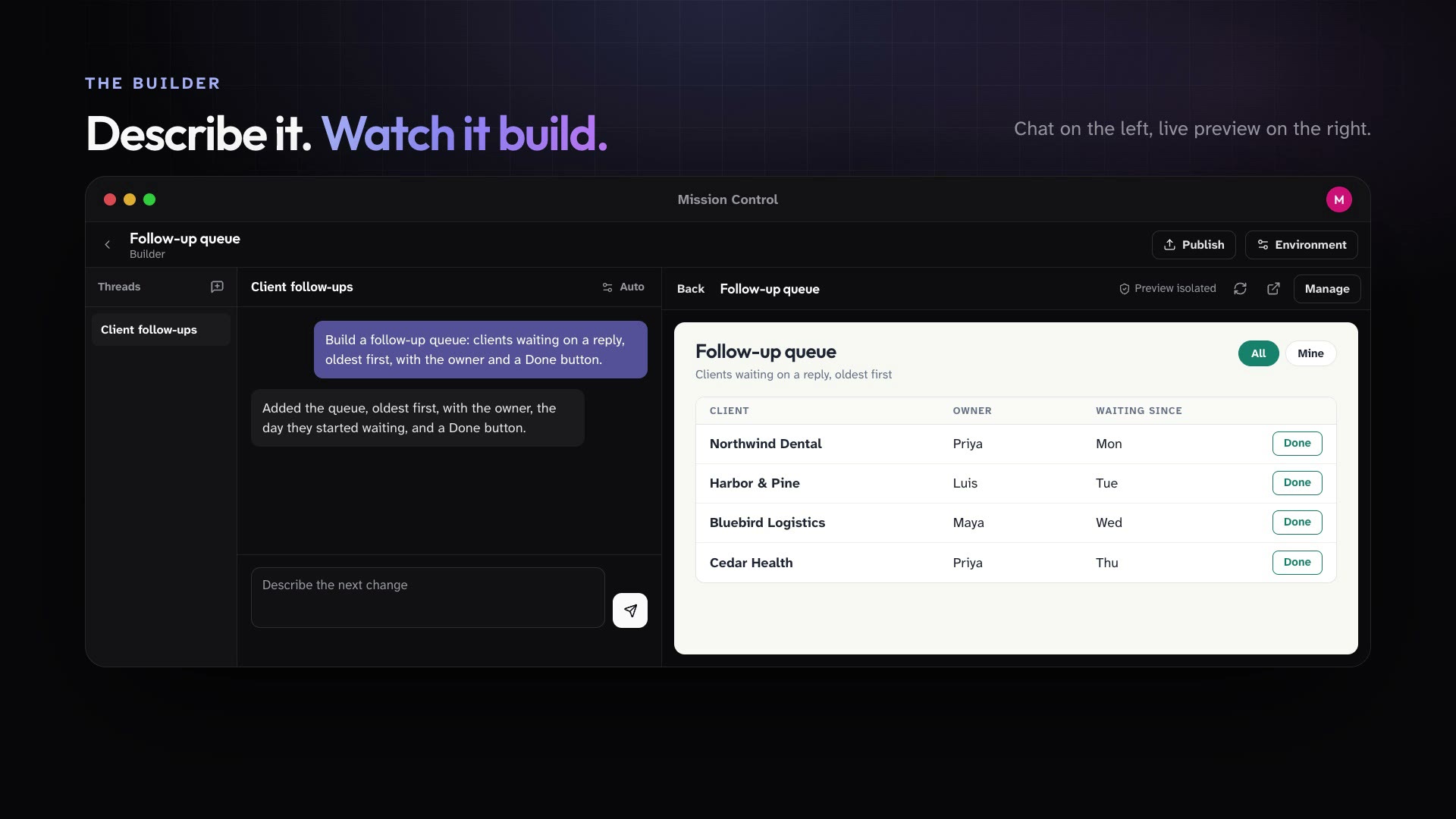
In the desktop app, members create, preview, and publish hosted Apps. Each App has its own data and can be installed for selected roles and people.
Open Apps on your Mac and describe what you need.
Preview it as it is built, and keep refining it.
Publish it and install it for the roles and people who should use it.
In practice
One feature, two kinds of week
For churches
The office builds a simple room request tracker and installs it for staff.
Mission Control for churchesFor organizations
Customer success builds a follow-up queue App and installs it for account managers.
Mission Control for organizations
What ships today
The details
- In the desktop app, members create, preview, and publish hosted Apps, each with its own data, and install them for selected roles and people.
See it in your own workspace.
Download Mission Control for your Mac and invite the people you work with.
For Macs with Apple Silicon.